
Self-hosting doesn't need a rack full of servers. You only need one, and it can even just be a Raspberry Pi. High Availability is for suckers. Here's how I use my home server to power not just my home, but the website you're currently viewing. This blog isn't meant to be a how-to guide, but more just an overview of my setup, and pointers to the tools I use to make your own. Everyone has different needs, and I hope this will help you decide what you need for yours!
What do I need to run?
There's a large community of people who self-host just about everything you can think of, and you'll find them over at r/homelab on Reddit. However it's easy to go down the rabbithole of creating a problem in search of a solution, i.e. buying an entire rack of servers, and then finding ways to justify it.
One full-size PC can do a whole lot of things at once. Sure, it's missing some redundancy, but we're not running a hospital here. Things can go down for an hour or 2 here or there. It's a mix of personal and business things - it serves:
- NAS for backing up computers
- Storage for all the footage out of my camera to make videos
- Website host (this website)
- Business operations, accounting, manufacturing, eCommerce, etc
- Home Assistant, running the house
- Matrix server for chatrooms
- Databases for many of the above items
- Jellyfin server, for my backed up media
The majority of these things are fairly lightweight, and don't use up much resources. The main thing to ensure is that everything is properly separated, so that one service can't cause an issue and take down everything else with it. In the past, it was common to create Virtual Machines as that isolation boundaries, but Containers can do this with much less overhead. More on that later.
The up-front investment
Prior to starting elvinhome, I worked for 8 years as a Cloud Architect. A common saying you'll hear, and it's not completely wrong, is that the cloud is super expensive. There's a right and a wrong way to approach anything and if you just spin up a bunch of Linux servers and shift your entire workload as-is, then this saying will very much be true. The big thing the cloud does though is remove the up-front investment. Instead of paying one big lump sum at the beginning and getting stuck with a server for its entire lifetime, you pay in smaller instalments. Lower risk, higher overall expenditure.
But I'm not running something enterprise scale any more. I just want to host my little website, and dammit, that 10-20 euros per month adds up and I'm aiming for a more noble goal; cloud independence, and full ownership of my data. I'm building the CTRL ONE, a fully local, offline room control device, and I want to extend that philosophy to everything I do.
For a simple website hosting a blog, a Raspberry Pi would do the job. Granted, they're not as cheap as they used to be, but if you want something that you can throw next to your router and have something online 24/7, it's the simplest way to do it. If you're looking for something even cheaper, there's a whole market of Single Board Computers (SBCs) out there. Beware; the operating system and the support can vary. I'd recommend choosing one supported by the Armbian operating system, as their OS can turn a random Chinese board into a fully up to date and secure computer.
Especially when running it home, it's good to focus on power efficiency (which a Raspberry Pi will get you) but also low noise. For me, I do a whole lot more than this, so I built a full server inside of a tower PC case that tucks nicely into my closet.
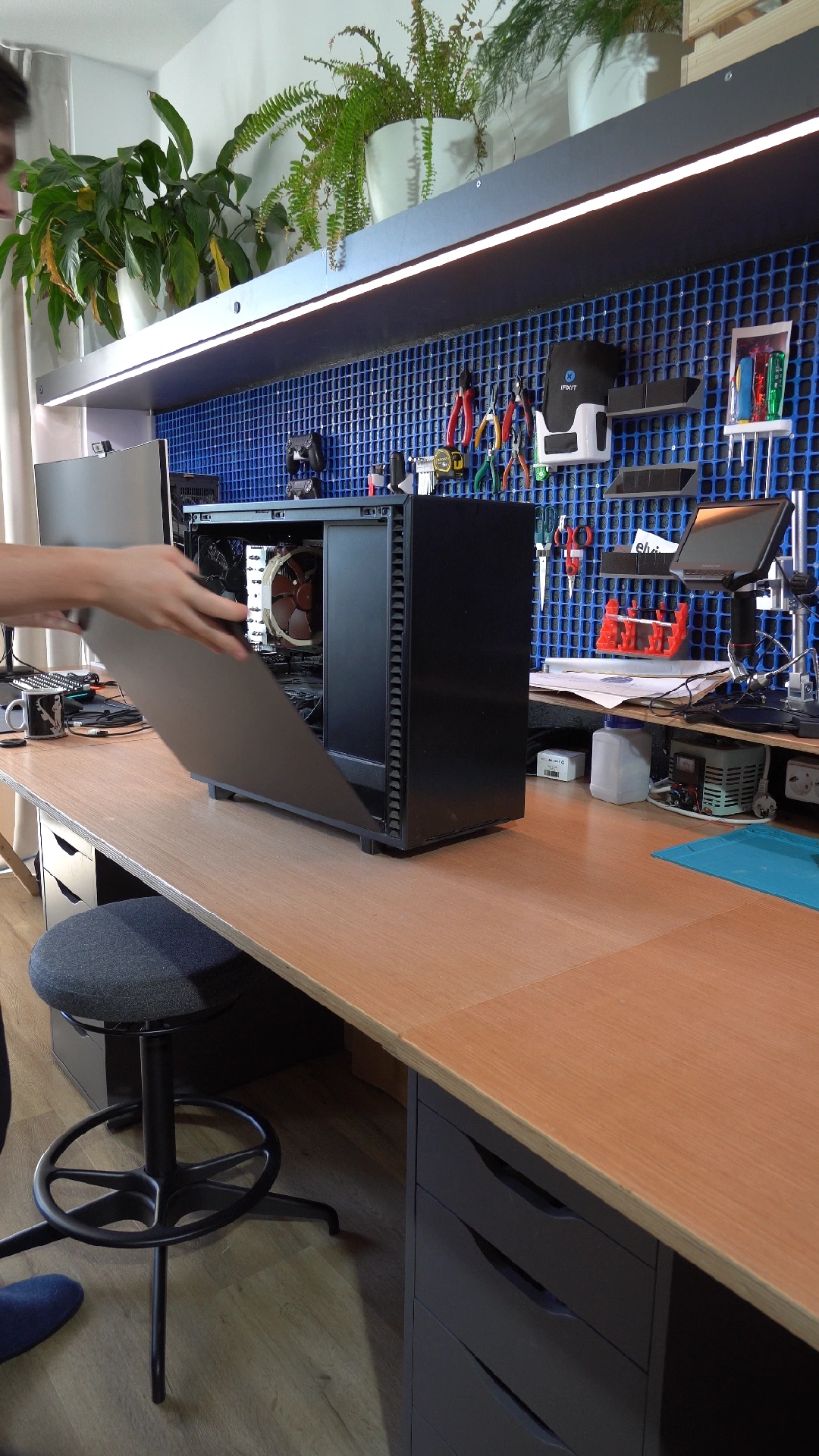
My go-to is the Fractal Design Define 7, specifically with the black side panel - not transparent. The main reason is that this case can fit tons of hard drives, all down the front, while still having enough space to fit a full ATX motherboard and a hefty GPU. The sides panels come with solid sound deadening material on all sides and paired with some high quality fans (I went all in with Noctua), it's barely a whisper.
So yes, sure, it's an up-front investment, and there's a few things that you'll want to do to make sure you have room to expand, like a good case, motherboard and power supply. Especially with today's RAM-pocalypse, it's better to start small. Start with a simple CPU and 1-2 sticks of memory. CPUs sell well on the second-hand market; I used this to upgrade it at not much expense recently. Choose a memory kit where you can buy a second set to double it up in the future, if the prices hopefully go back to a semblance of normality. And the best GPU is an old one that's past its gaming life.
A case like this will give you room to expand in the future. I didn't start with a GPU, opting to add it later once I needed to upgrade my main PC and put the hand-me-down into here. It originally handled just transcoding video, and while the 8GB VRAM in the Nvidia RTX 3070 Ti is a little limited, it can do basic AI work too.
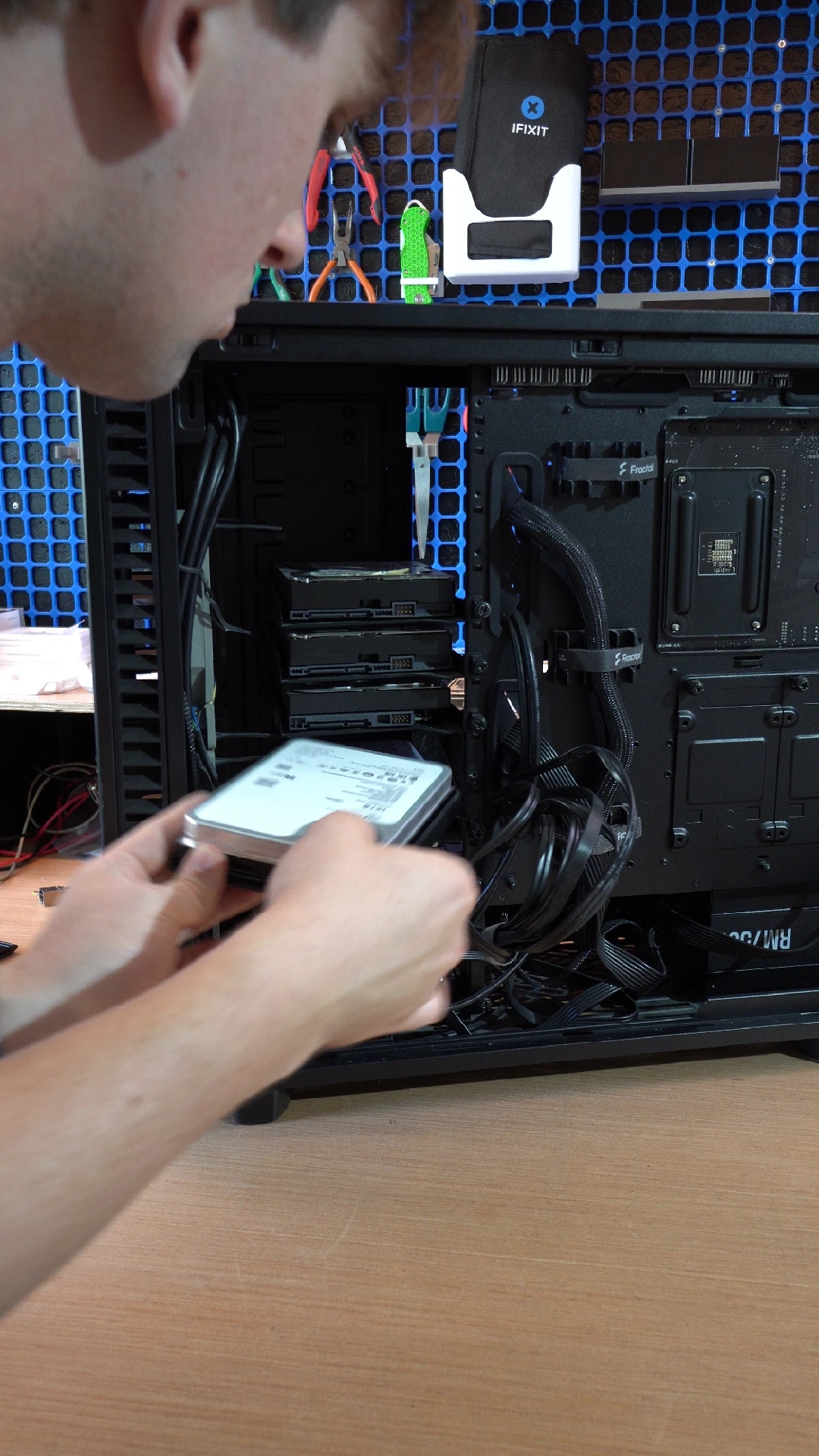
The single largest investment has to be the 80TB of hard drives. It's 5 x 16TB drives, put into a raidz1 configuration. It uses ZFS as the file system, which handles combining them all together into one virtual drive, and managing redundancy. It gives me an effective capacity of 64TB, and I can lose one drive without losing any data. Even for short-form video content, it's surprising how quickly I'm starting to fill this up, but the Fractal Design case can easily accommodate another 5 of these drives if I need to level up in the future.
How to run it all
I've spent years running Linux systems so I chose to go the hard way and do full Kubernetes (k3s), but for one system, that's plain overkill. What I would absolutely say is a must-have is that everything runs as a container. Containers ensure that each application has its own filesystem and it's not easy for them to mess with each other's configurations, and Docker is a well-established name at this point.
You'll find a container for just about every piece of software you want to self-host, often made by the people who make the software, and if not, maintained by a reputable third party. Updating is as simple as restarting the container with the latest image. Oftentimes you might be lagging behind updates when installed directly onto a Linux OS as the operating system maintainers might be slightly slower in providing those updates.
A really simple place to start could actually be Home Assistant OS. If you're planning to run Home Assistant anyway, it comes with a really great add-ons store that is essentially just a fancy UI over some Docker containers, all managed for you. And it'll run on everything from that Raspberry Pi all the way up to the full PC. Another (paid) option could be HexOS if you're looking for the primary use-case to be a NAS, but I've had no personal experience with it.
For me, I chose Flatcar Container Linux. For those unafraid of a command line, it's an almost unbreakable OS that auto-updates and is purely focused on running containers. I found it easy enough to make it also run ZFS to be a NAS, and I can just SSH to it over the network.
Exposing it to the internet
For many people, you'll set up a Home Assistant instance, and maybe a Jellyfin server, and call it done. These are all things that don't need to be accessed from the internet and I would highly advise keeping it that way! If you're wanting to access things from outside of your house, the most secure way is with a VPN.
I use Tailscale for this. I have the app on all my devices, and it creates a virtual network that I can use to directly connect to all the other devices within it. I can access my Home Assistant from anywhere, without it being exposed directly to the internet.
If you're wanting to make something available to the public however, then you will want to expose it to the internet. My top tip:
Don't just open a port on your router and call it done.
Opening a port on your router and forwarding that port to your server will absolutely have the intended effect. If you go to your home's IP address, you'll see your self-hosted website straight away! Job done. Or is it?
First of all, your home's IP address is your website. For your small blog that might be fine, but it opens yourself to a number of potential attacks. If somebody decides that they don't like what you have to say, it would be trivial to launch a DDoS (Distributed Denial of Service) attack and render your website completely offline. But it's not just your website... it'll be your entire home internet connection too. Most residential ISPs don't take kindly to you hosting content off a home internet connection, and their response if this happens more than once is likely to just terminate your contract.
Then there's the performance side. The internet is a complicated place behind the scenes. A single packet may have to traverse multiple networks before reaching its destination, even if that destination is close to your geographically. This shows up in the form of latency, and cloud providers spend vast amounts of time and money optimising for this. Netflix is a classic example, often even running servers in the network of the ISP to cut down on bandwidth costs and latency.
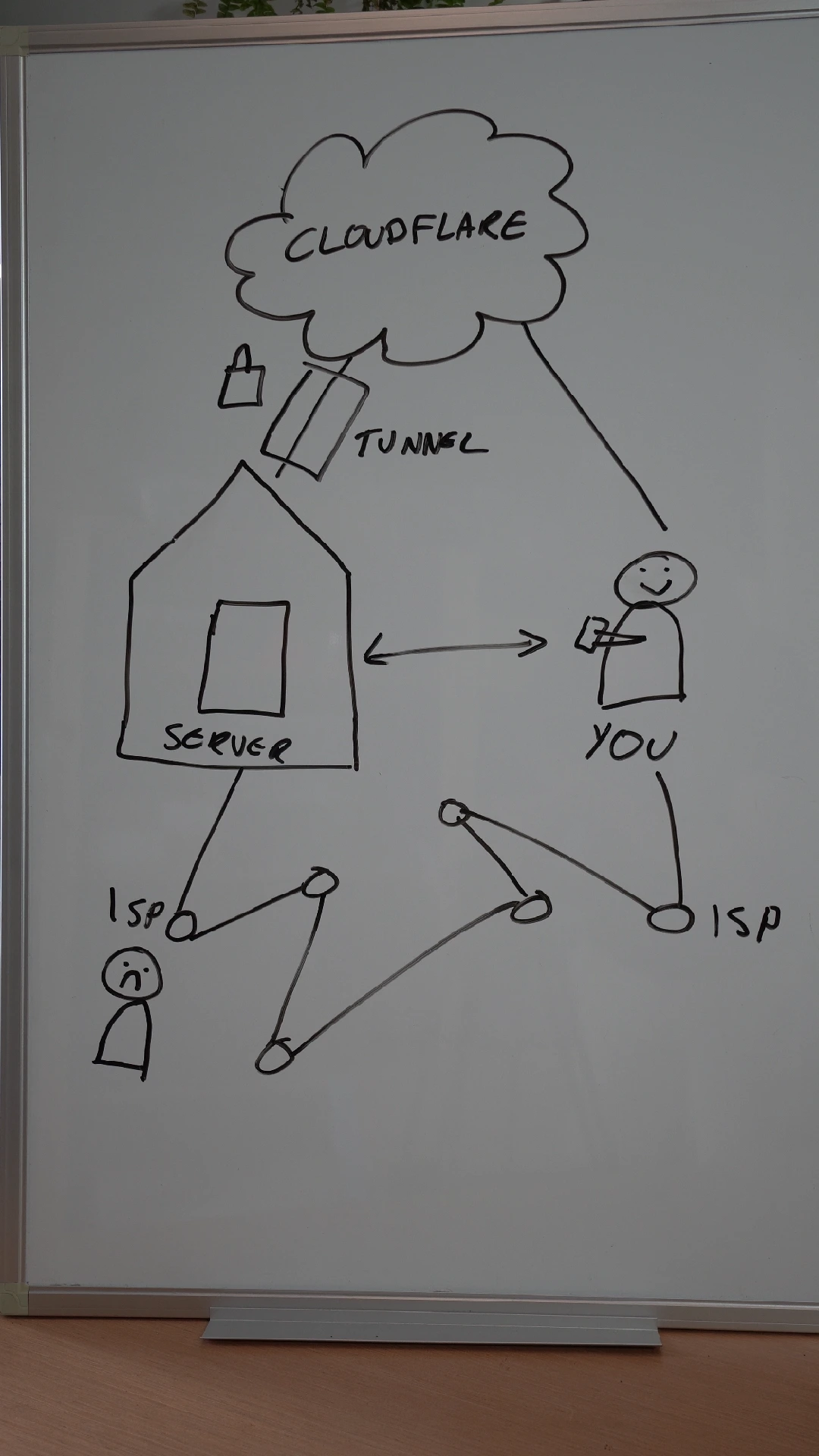
One home residential ISP user connecting to another home residential ISP user is not a route that is very well optimised. You might have a great experience 90% of the time, but there can be edge cases where you end up with very high latency, or entire disconnections. If you've ever had a video call in an app like Signal, that creates a direct connection between you and the other person, you'll often see the latency issue in practise.
Instead of opening up the website directly from your home connection, it's best to use a Content Delivery Network, known as a CDN. Their entire job is to optimise the connection between the end user and their cloud, a provide a much more reliable experience for everyone involved. There's a number of providers out there, such as Fastly, Amazon CloudFront, and more.
For me though, I chose Cloudflare, because they offer this entirely for free. You register your website, and point it to your home IP address as the origin. As far as your home ISP sees, it's just traffic coming from one place, and Cloudflare will handle security aspects such as DDos mitigation.
As CDNs themselves are made of a large network of servers across the world, their fundamental design still means you need to open that port on your router. While the end user doesn't connect to it directly, the CDN does, and it could come from any IP. It's possible to set it up so that the CDN sends a request with a special secret header so that you know the traffic is from them, but if an attacker does figure out your home IP address, they can shortcut the CDN and perform a DDoS against that.
So how can we defend against this? If instead of opening up our side to allow incoming connections, we can flip this around on its head. If we can use something that acts like a VPN to initiate an outbound connection to Cloudflare, creating an encrypted tunnel for all data to flow between us and them, we can have our home network stay invisible on the internet.
And this leads me to the second reason I picked Cloudflare. Cloudflare Tunnel works by having your server reach out to Cloudflare and essentially set up an encrypted "VPN" or tunnel, over which all data travels between you and Cloudflare. From the outside, it just looks like one regular VPN connection. There's nothing for your ISP to take issue with, and no open ports. I can run it as a container, that essentially acts as a load balancer, receiving incoming traffic over the secure tunnel and forwarding it on to my website container running regular ol' HTTP.
Bringing it all together
This is what in the cloud biz is called a "Hybrid Cloud" and I find it funny that it's a term that needed to exist at all. It's just where you pick the parts of the cloud that you want to use, and then you do everything else on-premise.
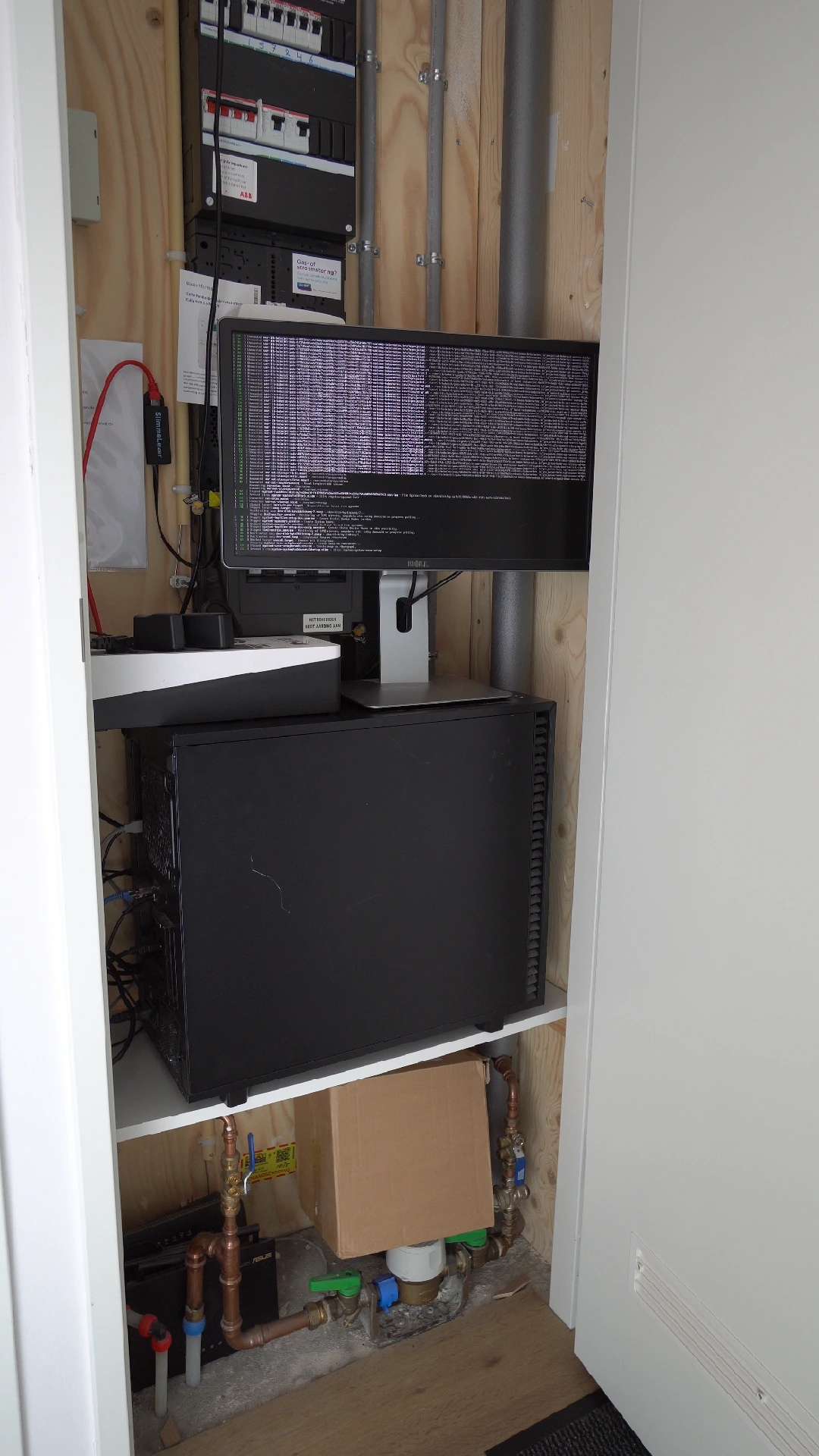
By running the actual services on your own hardware, you gain full control over your data, and you know where and how it got processed. But there's no substitute for scale, and there are some things, like CDNs, that you can't do at a small scale. You'll need the cloud for this, but the beauty of it is that your data isn't locked there; you can switch CDNs at any time with very little effort, and no change to how things are run.
But there is one thing we mustn't forget: Backups. The main drawback of the cloud at home is the lack of redundancy or fail-safes. You're one fire away from losing it all and homes can be replaced, but most time, data cannot. Here's where the cloud comes into play again, as a place to store an encrypted copy of your data in case of the worst. It's still your data in your control, and it's not readable by others.
Go and build your cloud at home, and remember: When it's serving real people, it's no longer a homelab. It's a home production environment.